AI Avatar Video Generator
Video generation with AI avatar or your own!
A talking avatar video is the fastest way to create professional content without a camera, studio, or self-recording. In practice: you write text, choose an avatar, set the language and style, and the tool generates a ready-made video that you can upload to your website, ads, training or social media.
AI Avatar Video Generator
How does avatar video generation work?
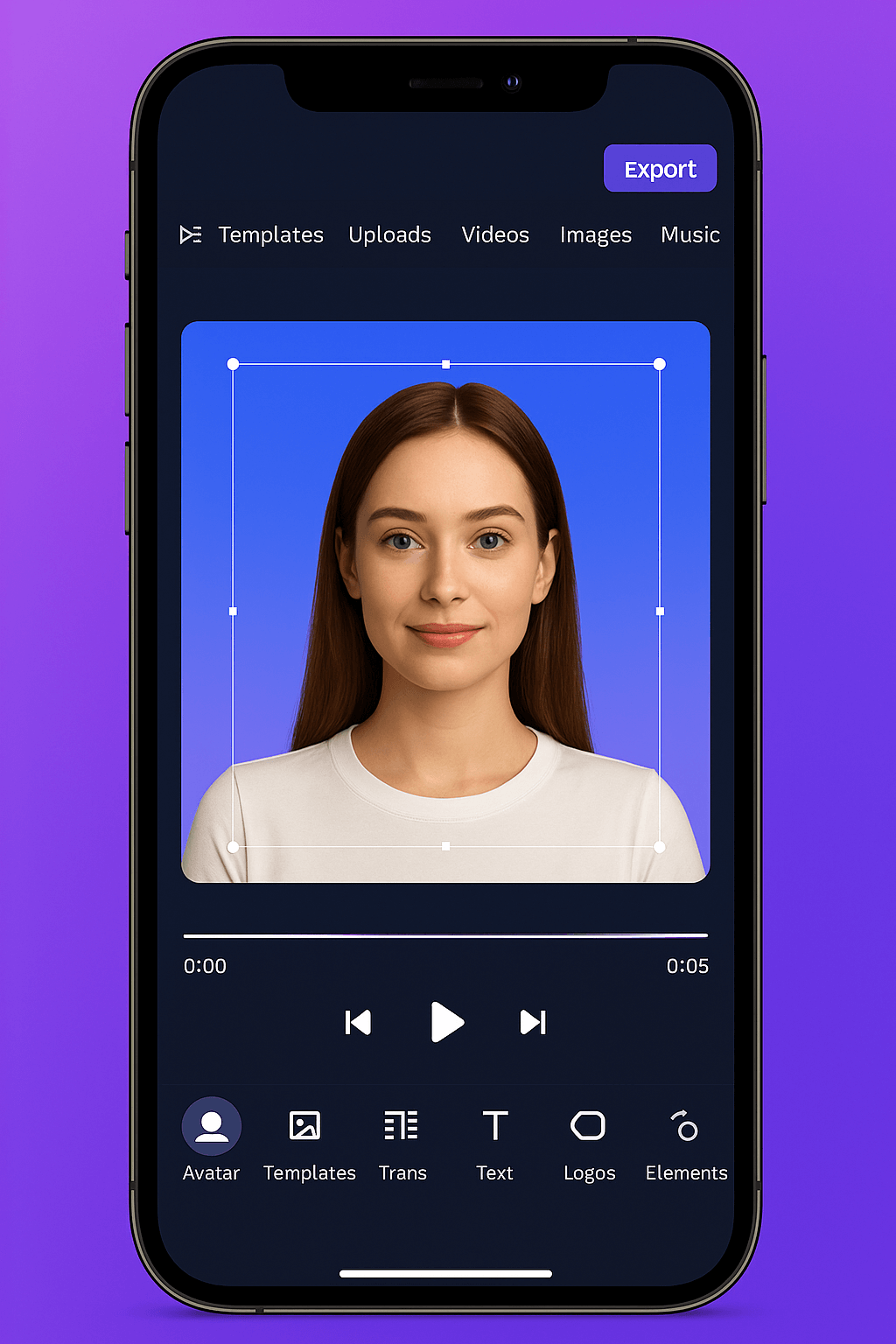
The whole process is simple, fast and repeatable. You don’t need a camera, studio, or editing, because you do everything in one tool.
-
You enter a script
That is, the text that the avatar is supposed to say. It can be a training, manual, offer, advertising video or company message. -
You choose your avatar and language
You choose the character, speaking style, and language, so you can easily prepare versions for different audiences or markets. -
You adjust the appearance of the video
You set the background, subtitles, scene layout and branding elements (logos, colors) so that the whole thing looks professional and consistent with the brand. -
You generate and export the finished file
After a while, you have the final video that you can upload to the website, to the advertisement, to the onboarding or to the knowledge base.
The biggest advantage? You can make several versions of the same video (e.g., different CTAs, languages, lengths) and update them in a minute, without re-recording.
Video generation using AI tools
Only your imagination blocks you from making money with AI!
Best Video Generation Tools with AI Avatar or Your Own

HeyGen: The Best Choice for Marketing, Social Media Dynamic Content
HeyGen is a tool that works very well in content marketing and campaigns. It’s fast, flexible, and focused on creating a video that is supposed to look “modern” and work in social media.
What is HeyGen best for?
-
sales video for ads and landing page
-
TikTok video, reels, YouTube Shorts
-
short explainers and presentations of the offer
-
video with an avatar for personal branding or branding
Synthesia: the gold standard for companies, training and internal communication
Synthesia is a tool typically designed for business: training, onboarding, processes, instructions and communication in the organization. What matters here is consistency, a professional look and the ability to scale content for multiple teams and languages.
What is Synthesia best for?
-
employee training, onboarding, LD
-
communication between HR and management (procedures, changes, standards)
-
Product instructions and step-by-step tutorials
-
compliance, health and safety, safety and repetitive content
Creatify: advertising and product video with avatar, fast UGC under performance
Creatify is the most “advertising” of the three. It’s great for creating sales videos for e-commerce and performance campaigns, especially when you want to produce a lot of ad variations quickly and test creatives.
What is Creatify best for?
-
Shopping ads for Meta Ads and TikTok Ads
-
UGC video with an avatar (in the style of “recommend, show, test”)
-
materials for online stores, DTCs, applications
-
Create multiple versions of ads from a single product
Why Choose AI Video Generator?
Time saving
Create videos in minutes, without the need for lengthy editing.
Ease of Use
Intuitive interface that requires no technical expertise.
Multifunctionality
Perfect for creating videos for YouTube, Instagram Reels, and TikTok.
Increase engagement
Professional videos that grab attention and increase CTR and SEO.
AI Video Generator
Make money on Instagram, Facebook, Youtube and many more
AI Avatar Video Generator
Best practices to make your avatar video look professional
One video, one goal
Don’t mix training, sales, and inspiration in one clip. An avatar works best when the message is clear.
Add subtitles and strong headings to your screen
Most people watch without sound. The subtitles do the job.
45 seconds are better than 4 minutes
An avatar video wins with speed. For longer formats, divide into episodes or scenes.
AI Video Generator
Discover the Variety of AI Avatars
Create your avatar and start recording video without camera, stress and a million doubles. Thanks to tools such as HeyGen, Synthesia and Creatify, you can prepare professional materials in a few minutes: from advertisements and content on social media, to company training and sales presentations. You type in the text, choose a style and you’re done, you have a video that looks like it was made in production, not like it was done quickly.
Frequently Asked Questions about AI Avatar Video
How is an AI avatar video made?
Most often, it looks like this: you enter text, choose an avatar and language, set the appearance (background, subtitles, layout), generate a video and export the finished file.
Do you need to have experience in editing or graphics?
No. Most of the tools are made so that a person without technical knowledge can cope. The most important thing is to have a simple script and a clear goal of the video.
What Can AI Avatar Video Be Used For?
Most often for: advertisements, video sales, social media content, onboarding, in-house training, presentations, product manuals, FAQs and internal communication.
Does an AI avatar video look natural?
More and more, but it all depends on the tool, settings, and text. Short, specific videos and written in spoken language, not official language, look best.
Is AI avatar video good for ads?
Yes, especially if you want to produce multiple versions of creatives and test different messages. It’s a great option for performance marketing and campaigns, where fast pace and the number of variants are important.
Can I create an avatar similar to myself?
In many tools, yes. You can create an avatar based on a photo or recording, but the possibilities depend on the specific platform and plan. In corporate applications, a “brand face” is also often made instead of a 1:1 avatar.
Can I use my own voice?
It depends on the tool. Some platforms allow you to use different AI voices, and some have more advanced options. If you care about a specific sound, it is worth checking it in the settings of the selected solution.
Is it possible to create a video in Polish?
Yes, most popular tools offer Polish or allow you to create multilingual videos. It is best to do a short test to assess the naturalness of the voice and the pronunciation of proper names.
How Long Should An AI Avatar Video Be?
Short forms work best: 15-60 seconds in marketing and 1-3 minutes in training. Longer content should be divided into episodes or scenes, because the recipient loses attention faster.
Is it possible to add subtitles to a video with an avatar?
Yes, and it’s worth doing. Subtitles increase viewership because many people watch without sound. Additionally, they improve intelligibility in training and instructions.
Can an AI avatar video be edited after generated?
Yes, but most often editing involves changing text, scenes, or elements in a project and regenerating it. This is convenient, because you don’t have to do overtime.
Which tool to choose to start with?
If you want marketing and social media, HeyGen is often chosen. If you are training and corporate communication, Synthesia is a strong choice. If you want to advertise products and performance, it’s worth looking at Creatify. It’s best to test 1-2 tools and see which one suits your goal.