
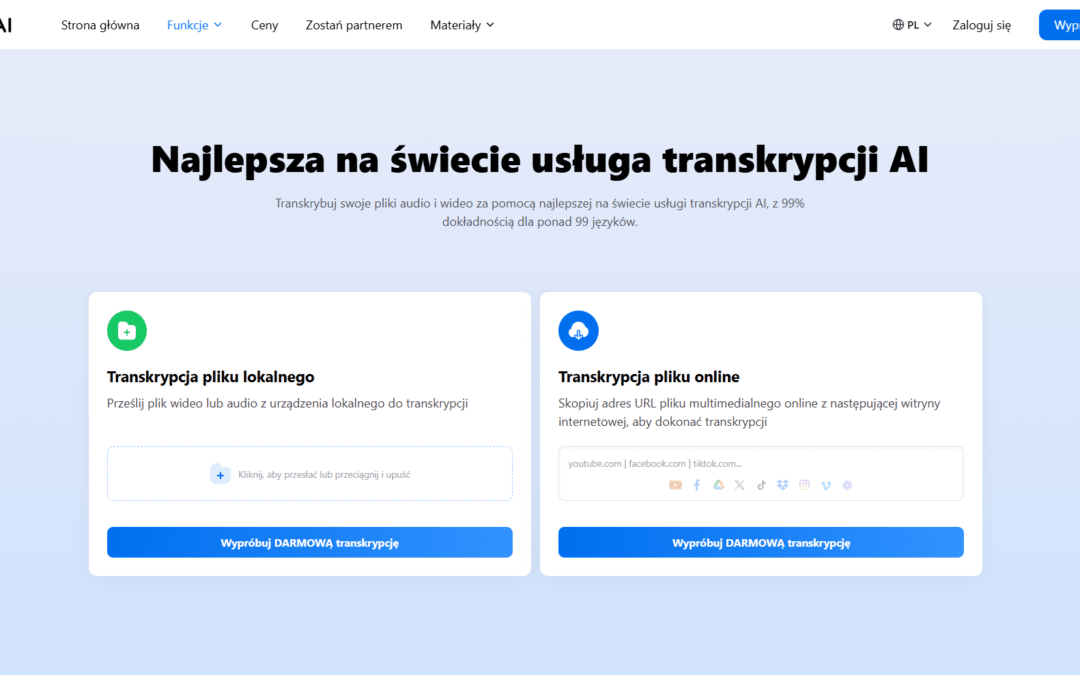
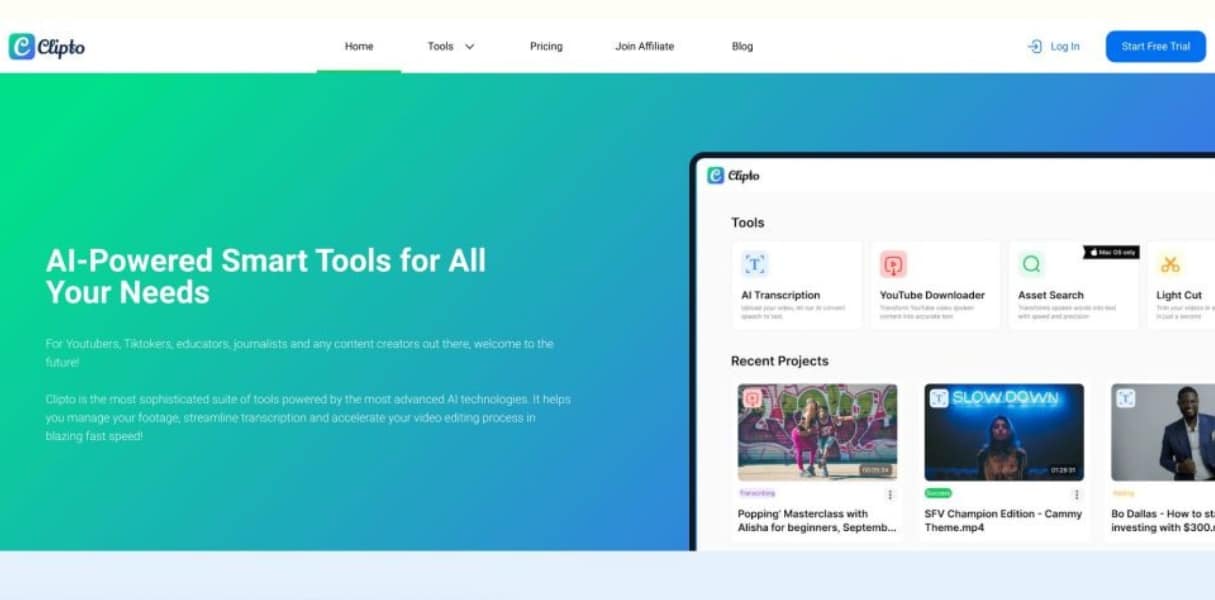
Clipto AI is a modern tool that uses artificial intelligence to transcribe voice, create subtitles, and automatically edit short video forms. The platform has gained popularity due to the fact that it allows you to turn a simple recording into polished material ready for publication. The creators of TikTok, Reels, YouTube Shorts, and marketing experts have found that Clipto AI eliminates the most time-consuming elements of editing, i.e. manual transcription of dialogue, cropping and creating dynamic subtitles.
A big advantage of Clipto is the speed of operation and high transcription accuracy. The algorithm recognizes the voice even with noises, different accents and fast speaking paces. For creators who post regularly, the time savings can be huge. Clipto AI is a tool that falls into the same segment as Submagic, CapCut, Kaiber, and other subtitle generators, but it stands out for its transcription quality and smart editing features.
How Clipto AI works. From recording to finished subtitles in a few moments
The most important feature of Clipto AI is automatic voice transcription. The tool downloads the video or audio recording, analyzes the audio, and creates a precise text recording. Unlike many smartphone voice generators , Clipto uses premium AI models, resulting in full, contextually consistent sentences. This is important, because voice transcription is not only a word, but also the logic of speech and context.
Once the transcript is created, the user can choose the subtitle styles. Clipto AI offers, among m.in other things, dynamic short-style subtitles, keyword highlighting, color synchronization, and the effect of text following the rhythm of speech. The video is automatically cropped to a vertical format, allowing you to post to TikTok, Instagram, and YouTube right away.
Clipto can also handle longer recordings. Podcast creators can prepare snippets for social media faster, and online trainers create training materials without manually rewriting every second.
Clipto AI in practice. Top features that make a difference
Clipto AI is not your usual subtitle tool. It’s an all-in-one system that automates video editing and transcription. The most important elements are:
Automatic voice transcription. Clipto uses advanced speech recognition models, thanks to which it generates a very accurate transcript of dialogue.
Dynamic subtitles for shorts. The text is highlighted in the rhythm of the speech, you can change colors, animations and highlights.
Automatic face cropping. The tool can frame the shot so that the face is always in the center.
Cutting out silences and mistakes. Clipto shortens lengths and automatically improves the pace of speech.
Support for multiple languages, including Polish. This is crucial for creators from our market.
Fast export. The finished video is available in HD resolution in a few minutes.
For marketers and people working with clients, Clipto AI is also useful as a transcription tool. You can transcribe a conversation, a meeting, a training recording or a long webinar and immediately prepare text material for a blog, newsletter or social media.

Clipto AI and Submagic and CapCut. Comparison of Subtitle Tools
Three tools dominate the AI subtitle market: Clipto AI, Submagic, and CapCut. Each has different strengths.
Clipto AI is the strongest in transcription quality and in the precision of subtitle synchronization. It’s a tool for creators who want a polished video without messing around with editing. It’s great for spoken videos, how-to videos, reviews, commentary, and podcasts.
Submagic is very simple, fast, and offers powerful graphic effects. However, it has a weaker transcription in Polish and sometimes loses context.
CapCut is the most versatile application that gives you a lot of editing options, but requires manual correction of most subtitles. It’s a good tool for people who like to be in full control, but not necessarily for creators who want to work fast.
In practice, Clipto AI is the best solution if you care about transcription quality, automation, and convenience. For people who create regular video content, the difference is noticeable after just a few recordings.
Voice transcription in Clipto AI. Why it’s more accurate than other tools
A key component of Clipto AI is the speech recognition system. The platform uses large language models that have been trained on multilingual datasets. Thanks to this, the tool not only recognizes individual words, but can also predict the context and meaning of entire statements.
In practice, this means that Clipto AI can recognize:
Speaking quickly
Speaking softly
Talking in noise
Regional accents
Interrupted sentences
Creators who complain about CapCut bugs often notice that Clipto handles the same recordings much better. This is because Clipto uses typically transcriptional models, while CapCut focuses mainly on effects.
Transcription in Clipto can also be used as text material. Many people generate subtitles and then pull out all the text to use in a description, blog, newsletter, or as a script for subsequent recordings.
Clipto AI in marketing and content production. How the tool is transforming the work of creators
In the world of content marketing, speed and efficiency are important. Clipto AI fits perfectly into these needs. Creators, advertising agencies, brands, and educators use Clipto to:
create shortforms on TikTok, YouTube Shorts, and Reels
Cutting out webinar snippets
Create short samples from podcasts
preparing materials for courses and trainings
captioning in multiple languages
building a content repurposing strategy
Clipto AI makes it possible to use one recording in dozens of forms. If the trainer records an hour-long webinar, Clipto allows him to create a dozen or so clips for social media in a few minutes. In the era of high-speed internet, this is an advantage that cannot be overestimated.
Best Alternatives to Clipto AI. When to choose a different tool
While Clipto AI is one of the market leaders, sometimes a different solution may be a better fit for your needs. The most commonly compared tools are:
Submagic. Perfect for quick short processing if you don’t care about perfect transcription.
CapCut. A tool for people who like to edit everything manually and need advanced editing features.
Descript. A great choice for long podcasts and educational materials.
Pictory. Good for turning long footage into shorter videos.
Veed. Extensive online editor with good speech recognition.
If the quality of subtitles is a priority, Clipto AI will be the first choice. If you need intense graphic effects or editing from scratch, then CapCut works better.
Summary. Is Clipto AI the Best Subtitle and Transcription Tool
Clipto AI is one of the most accurate tools for transcribing voice and generating video subtitles. The platform provides speed, convenience and extremely high quality, which is often lacking in simple mobile editors. For video creators, marketers, and educators, Clipto is a huge speed up because it allows you to focus on the content rather than the technical details.
The most common mistakes when using Clipto AI and how to avoid them
Video creators often make the same mistakes that make the subtitles generated by Clipto AI not look as good as they could. The most common problems are:
Poor recording quality. Noise, echo, and working at a great distance from the microphone make transcription difficult.
Too fast a speaking pace. AI can do it, but quick interjections and slang can be misrecognized.
Poorly chosen subtitle style. Flashy colors or too fast animations can take away the professional character.
No correction. The tool gives great results, but a quick text check always increases the final quality.
Bad recording format. Clipto works best on MP4 video and WAV or MP3 audio files.
Taking care of these issues makes Clipto AI work at the maximum level and produces a studio-quality video effect.
When Clipto AI works best. Practical examples and case studies
TikTok and Reels Creators
Clipto allows you to process a dozen or so recordings per day. Influencers report up to 70 percent time savings compared to manual assembly in CapCut.
Podcasters
Clipto allows you to cut short snippets of long conversations in minutes. Thanks to this, podcasts gain reach in social media.
Educators and trainers
An hour-long webinar can be turned into a dozen or so educational clips ready for shorts. This saves time and increases the effectiveness of the content.
Marketers and companies
Transcribing meetings, recording video instructions, automatically creating captions for advertising campaigns – Clipto AI saves time and increases communication consistency.
Top Benefits of Clipto AI for SEO, Creators, and Businesses
Clipto AI is not just a subtitle tool. Its use also affects:
Video positioning. Subtitles increase watch time and content availability.
Social media reach. Videos with subtitles have up to twice the watch time.
Availability of content. Viewers without sound, deaf people, and foreigners can use the materials.
Conversion. Good captions increase your understanding of the message, which helps with sales and marketing.
With Clipto AI, creators can finally work faster, smarter, and more efficiently.
FAQ Clipto AI
Is Clipto AI free
Clipto AI has a free trial, but the full capabilities of the tool are available on paid plans. The free version limits the video length and export quality, which is why most creators opt for a subscription plan.
Does Clipto AI support Polish
Yes, Clipto AI supports Polish in both transcription and subtitle generation. The quality of speech recognition for Polish is high and usually exceeds Submagic and CapCut.
How to Make Subtitles in Clipto AI Step by Step
Just upload the recording, wait for the audio analysis, choose the subtitle style, and click export. The whole thing takes a few minutes. Clipto automatically crops the shot and synchronizes the text with the rhythm of the speech.
Is Clipto AI better than CapCut
If you care about transcription quality and automation, Clipto AI is a better choice. CapCut gives you more control over editing, but it has a much weaker transcription and requires manual correction of most subtitles.
Is Clipto AI Good for Long Recordings
Yes, Clipto AI can handle longer content, including podcasts, webinars, and educational recordings. The tool can extract key fragments and prepare them in a short format.
What to Do When Clipto AI Makes Transcription Errors
Most often, it is enough to correct your pronunciation, remove background noise and speak at a steady pace. Clipto AI can handle distortion, but extreme noise or sudden changes in volume can introduce errors.
Does Clipto AI save all text from a recording
Yes, the user can download the full transcript as a text file and use it in descriptions, blog posts, or for content repurposing.
Is Clipto AI Suitable for Businesses and Marketers
Yes. Clipto AI is great for marketing, creating campaigns, cutting out webinar snippets, and preparing advertising content. Many agencies use Clipto to automate social media.
What are the Best Alternatives to Clipto AI
The most common comparisons are Clipto with Submagic, CapCut, Descript, Pictory and Veed. Each tool has its own advantages, but if the quality of subtitles and minimal effort are a priority, Clipto AI is the most frequently chosen.

