
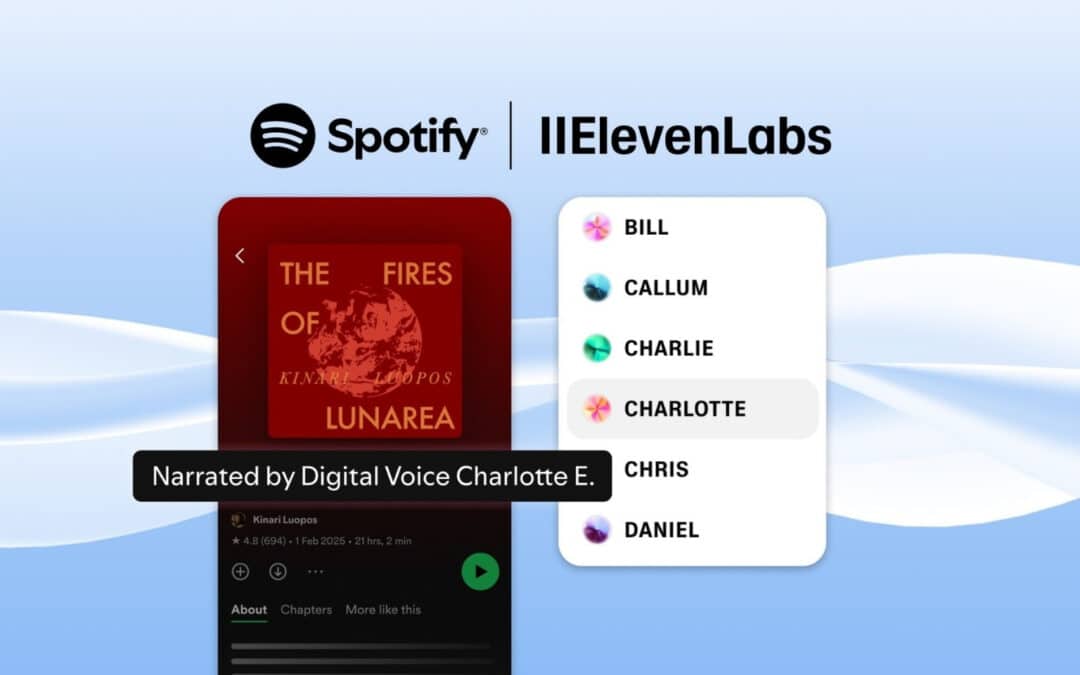
AI tools for audio generation have ceased to be a gadget in recent years and have become one of the most important elements of modern marketing and content creation. Not so long ago, recording a professional voiceover required a studio, a voice-over, a microphone, an editor and many hours of work. Today, you can generate natural-sounding audio in a few seconds, and the quality can be at the level of recordings from a professional studio. This makes it possible for creators, brands and entrepreneurs to produce content faster, cheaply and at a huge scale. AI is democratizing access to audio narration, so even small businesses can create content with a quality that was reserved for big budgets just a few years ago. AI audio generation tools are influencing the way podcasts, ads, educational content, online courses, and short-form video formats are created on TikTok or YouTube Shorts. They make it easier to scale your business, speed up your marketing teams, and create content that previously required entire production departments.
What is AI audio generation?
AI audio generation involves converting text into speech using advanced voice models. Algorithms analyze speech rhythm, intonation, emotions, accents and natural pauses, and then reproduce them in the form of a realistic recording. Tools such as Clipto, Murf AI, ElevenLabs or Speechify can create voices that sound almost human-like – warm, dynamic, emotionally fit to the context. This allows you to quickly create narrations for videos, audiobooks, podcasts, and training materials. The latest machine learning models can even clone the user’s voice, preserving its unique timbre and way of speaking. In practice, AI audio generation eliminates the need for live recording, which dramatically reduces production time and increases the flexibility of content creation.
Applications – podcasts, YouTube, advertising, online courses, social media
AI audio generation tools have a huge range of uses that are growing every year. More and more creators are using artificial intelligence to create podcasts, whether full episodes or trailers or previews. YouTubers and short-form video writers generate narrations for their videos, so they can produce more content without having to record a new voiceover each time. In the advertising industry, the generated AI voice accelerates the creation of spots, A/B tests of different versions of the narrative and matching messages to the audience. Online courses and learning platforms use AI audio to create consistent, professional recordings for lessons, presentations, and training materials. On TikTok, Instagram, and Shorts, tools like Clipto allow you to add an AI voice to a short reel in seconds, elevating its quality and visual appeal. In companies, on the other hand, artificial intelligence supports internal recordings, employee training, onboarding materials and narratives in B2B communication.
Who are AI audio tools for – marketers, creators, companies?
AI audio generation tools are made for anyone who works with content and needs to increase the pace and scale of production. Marketers use them to quickly create ads, promotional videos, campaign narratives, and educational materials. Web creators, influencers, and podcasters use AI to generate voices in a style that fits their brand, without the stress of recording and lack of time. For companies, AI audio tools are a way to reduce the cost of producing video, e-learning and communication materials, and to maintain a consistent, professional tone of the message. Tools such as Clipto, Murf AI, ElevenLabs, and Speechify are also used by trainers, online course authors, social media agencies, freelancers, online stores, and even large corporations. Anyone who wants to create more audio content faster and cheaper will find a real advantage in AI tools that allows them to compete with even the richest brands.
How to Choose an AI Tool for Audio Generation?
Choosing the right AI tool for audio generation can determine the quality of your entire content strategy. The market is growing rapidly, and each tool offers different features, naturalness levels, licenses, and pricing models. Therefore, it is crucial to be guided not only by the popularity of the brand, but by real needs before choosing: what the audio is to be used for, what scale of production is planned, whether the recordings should sound naturally like a live voice-over or rather synthetically like a voice for TikToks. The right tool allows you to create content faster, more consistently, and definitely more professionally, especially if you use tools like Clipto, Murf AI, ElevenLabs, or Speechify.
Key selection criteria – voice quality, naturalness, languages, price
The most important element when choosing an AI audio generator tool is the quality of your voice. It is the one that decides whether the recording will sound professional and believable. Voice models differ in terms of naturalness, i.e. how well they reproduce human intonations and emotions. Tools like ElevenLabs are known for having the most realistic voiceovers, but if you need a lightweight, dynamic voiceover for shorts, Clipto may be enough. Another important factor is the available languages and accents. Many tools offer dozens of speech variants, which is crucial for creators publishing globally. Price also matters, especially if you plan a large amount of content. It’s worth checking if the tool offers a free trial plan, as well as what the monthly cost is for heavy use. In practice, the optimal choice is the balance between voice quality, range of functions and costs.
Performance and speed of recording generation
If you create a lot of content, the performance of the tool becomes crucial. The speed of generating recordings affects the pace of work, especially for short video formats, where instant production is important. Tools like Clipto are designed to instantly create narratives for TikToks, reels, and shorts, so they generate audio almost instantly. On the other hand, more advanced tools, such as Murf AI or ElevenLabs, may offer higher quality, but the generation time depends on the length of the text and the level of detail of the narrative. It’s important to check if the tool can handle long-form formats like podcasts or online courses. If you are planning automation, it is also crucial whether the tool gives you the ability to work on a large scale without sacrificing efficiency.
Integrations with other tools and platforms
A good AI tool for audio is one that not only generates voice but also fits into your workflow. Integrations determine whether the production process will be fast or tiring. If you create a lot of video, make sure that the tool connects directly to editing or publishing platforms. Clipto integrates with short-forming tools, allowing you to transform text into finished material in seconds. Murf AI offers integrations with presentation and e-learning tools, making it ideal for online courses. If you’re building automations, API capabilities and integration with Make or Zapier will be key. It is the ability to connect the tool to automation that makes audio generation part of a larger, repetitive content architecture.
Licenses and commercial rights to the generated audio
The issue of licensing is absolutely crucial, especially if you’re creating commercial content. Not every tool offers full rights to the generated recordings, and some restrict the use of audio in an advertising or sales context. Premium tools like ElevenLabs and Murf AI typically provide full commercial rights, allowing you to use the recordings in podcasts, commercials, courses, and paid content. Clipto and Speechify also offer extensive licenses, but it’s always a good idea to read the terms and conditions of the plan you’re choosing carefully. This is especially important in voice cloning, where copyright and consent laws are more restrictive. The safest solution is to use plans that give you complete commercial freedom to avoid any restrictions in the future, especially when the content starts generating revenue.
Clipto – fast audio creation from text for social media
Clipto is a tool created for the rapid production of audio and video content, especially in short formats. In a world where TikTok, Instagram Reels, and YouTube Shorts require an immediate response and frequent posting, Clipto gives you the edge of speed and simplicity. Its greatest strength is that it allows you to transform text into audio narration in seconds and immediately embed it in a short video format. It’s a tool that’s perfect for creators, brands, and agencies that want to generate a lot of content while keeping their message dynamic and fresh.
What is Clipto and what is the best way to use it?
Clipto is an AI tool designed primarily for creating short-form media content. Its primary use is to quickly convert text into audio and generate short clips that are immediately suitable for publication on social media platforms. It works best in the production of dynamic, educational, inspirational and news content, where the speed and frequency of publication matter. Creators use it to create narratives for reels, previews, mini-lessons, and viral materials. Clipto is perfect for people who don’t want to or can’t record their own voice, but at the same time need the content to sound attractive and professional.
Clipto key features for audio generation
Clipto offers a set of features that make it as easy as possible to generate audio in short formats. The most important feature is to quickly turn text into narration using built-in voice models. Users can choose from a variety of speech styles, sounds, and tempos, allowing you to tailor the narration to the nature of the content. Another important feature is the ability to automatically generate a video with a ready-made narration – the tool selects graphics, rhythm, effects, and tempo for the generated voice. Clipto also allows you to easily edit ready-made materials, shorten them, trim them, add subtitles and synchronize audio with visual elements. This makes working on content smooth, fast, and accessible even to people with no editing experience.
Create short audio and video content with Clipto
One of the main uses of Clipto is to generate short audio-video clips that are perfect for TikTok, Instagram, and YouTube Shorts. The process is simplified as much as possible. The user pastes the text, selects the voice, sets the pace of the narration and accents, and then Clipto automatically builds the video material to the rhythm of the spoken words. Thanks to this, you can create quick educational videos, inspirational quotes, how-to guides, mini-reviews and even advertisements, without the need to edit in dedicated programs. The tool guides the user step by step, and the finished clips are light, engaging, and tailored to current social media trends. Clipto also works well in creating serial content, i.e. entire cycles of videos published daily or several times a week.
Clipto in content marketing strategy – shorts, reels, TikTok
Clipto fits perfectly into a modern content marketing strategy that is based on short content and a fast pace of publication. Shorts, reels, and TikToks are the most effective format for gaining reach, and Clipto allows you to create them effortlessly and in large quantities. Brands can create a series of content that educates, sells, or builds awareness, and then post new clips every day. Creators can generate trending materials, react instantly to viral topics, and increase their visibility with constant activity. Clipto also supports personal branding, as it allows you to speak “with your own voice”, even if the voice is generated by AI. In practice, Clipto simplifies a process that previously required an editor, voice-over and graphic designer.
Pros and limitations of Clipto from the perspective of creators and brands
The biggest advantage of Clipto is speed – the tool allows you to create a full clip in seconds, which is a huge advantage in the social media era. Another advantage is the ease of use, which makes it possible for virtually anyone to start producing content without knowing how to edit and work with audio. Clipto also offers attractive, modern visual templates and high-quality AI voices to keep your image consistent. Clipto, on the other hand, has some limitations. The voices are natural, but not as realistic as in ElevenLabs, which is why they are not always suitable for long forms like podcasts. The tool is also heavily specialized in short formats, so those who need advanced editing may feel a lack of full control. Still, Clipto is one of the best tools for creators and brands that want to create fast, engaging content and operate to the rhythm of social media.
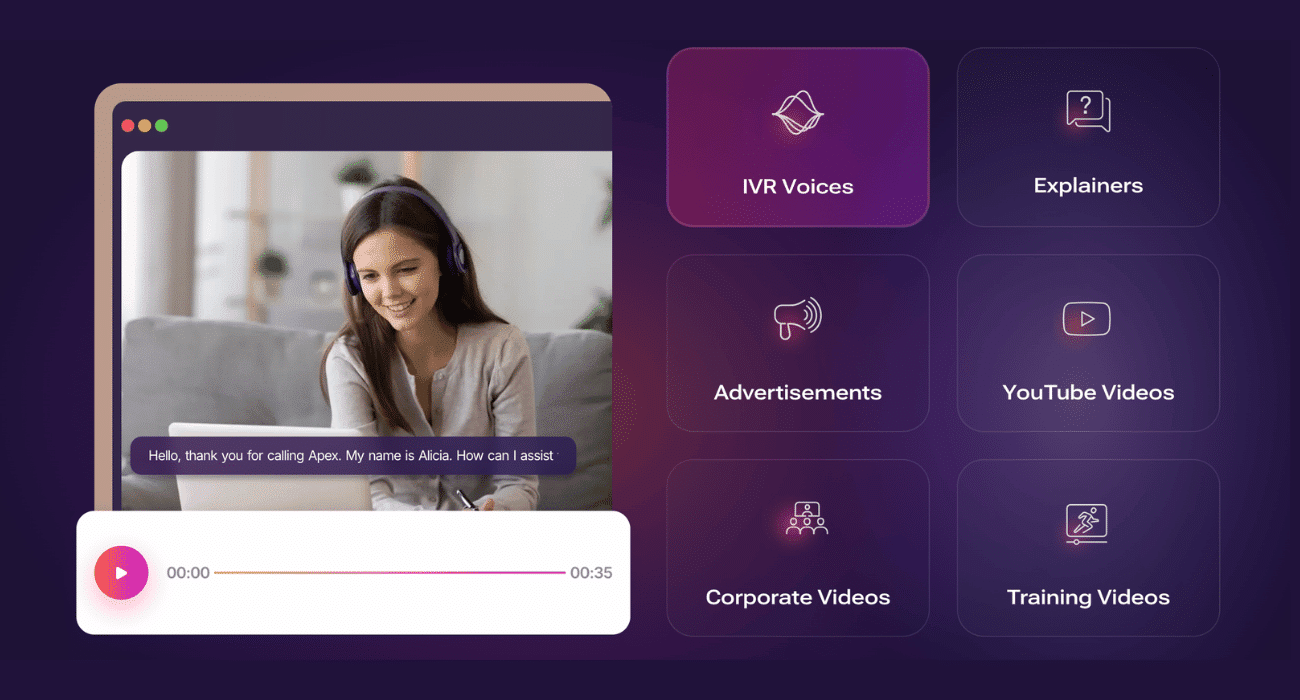
Murf AI – professional voice-over narrations and voiceovers
Murf AI is a tool created for users who need studio-quality storytelling, stable narration, and extensive voice customization capabilities for various business uses. Unlike tools designed primarily for social media, Murf AI focuses on creating professional voiceovers for videos, presentations, online courses, and corporate materials. With its advanced voice models and the ability to process and refine details, Murf AI has become one of the most popular tools in the e-learning, marketing, and video production industries.
Murf AI as a tool for creating a voiceover for business
Murf AI was created with business in mind, so its features meet the needs of businesses, agencies, and educators. The tool allows you to generate a high-quality voice-over that sounds natural, stable and professional, which works well in materials where brand prestige and high production value are important. Murf AI offers a wide set of options for customizing your narration, such as changing the tempo, tone, intonation, and voice style. This allows you to create both a dynamic voiceover for your ad and a calm training narrative. Companies often choose Murf AI as an alternative to traditional studio recordings, as it allows for a significant reduction in production costs and project lead times.
Available voices, languages, and speaking styles in Murf AI
One of the biggest advantages of Murf AI is its rich library of voices. The tool offers hundreds of voices in different languages, including many variants of English, Spanish, German, and French, as well as more and more options for the Polish language. Each voice has a unique character – you can choose from younger, older, more dynamic or calm voices. Murf AI also provides various speaking styles, tailored to the applications: educational narratives, a film voice-over, voice for corporate presentations or advertising voiceover. This allows you to achieve the effect of a professional recording without having to work with a voice actor or studio.
How to create a professional voiceover step by step in Murf AI?
The process of creating a recording in Murf AI is intuitive, even for people with no experience in audio editing. The first step is to paste or write the text to be generated. Then, the voice and narrative style that best suits the nature of the project are chosen. After choosing a voice, you can adjust the pace of speaking, pauses, intonation and emotionality of the narration. Murf AI also gives you the ability to divide text into segments, which allows you to precisely control the way you speak in individual parts of the recording. The next stage is to listen to the sample and make any corrections. Once the narrative is accepted, Murf AI generates a final audio file that can be downloaded in high quality and used in any project. This ensures that the process of creating a professional voiceover takes minutes instead of days.
Murf AI in e-learning, presentations and sales materials
Murf AI works great in the e-learning industry, where a coherent, clear, and friendly narrative is key, and content is often created in large quantities. The tool allows you to create narrations for lessons, training modules, and educational materials, ensuring high quality audio at every stage. Companies are also using Murf AI in business presentations, giving them a more professional feel by adding voice-over narration. In sales materials, the tool helps to improve the quality of product animations, explainers and pitch decks. With Murf AI, you can create complete audio-video materials for training, onboarding, marketing, and internal communication.
Pros and Cons of Murf AI – Who Will It Be the Best Choice for
The biggest advantage of Murf AI is the quality of voices that sound stable and professional, making the tool a great choice for business and education. Other strengths include a wide language library, narrative refinement features, ease of use, and the ability to integrate with presentation materials. Murf AI is ideal for online course creators, in-house training companies, marketing agencies, and brands that need professional voiceover but don’t want to incur the cost of studying. A limitation of Murf AI is that its voices, while very good, are not quite as natural as ElevenLabs’ most advanced models, especially in terms of emotion and dynamics. The tool is also not ideal for very short, viral content, where Clipto works better. Still, Murf AI is one of the surest choices for anyone looking to create high-quality narratives quickly, conveniently, and cost-effectively.
ElevenLabs – Most Natural AI Voices and Voice Cloning
ElevenLabs is a tool that is considered the gold standard of naturalness in the world of audio AI. His models generate voices so realistic that in many cases it is difficult to distinguish them from a real voice-over. It’s a platform created for creators, companies, and audio producers who need the highest quality of narration, emotionality, dynamics, and subtle intonation. At the same time, ElevenLabs is famous for its advanced voice cloning technology, which allows you to create a digital copy of your own voice or the voices of fictional characters, while retaining the full timbre, tone, rhythm, and personality. The tool opens up new possibilities in podcasts, audiobooks, dubbing or games, but also requires a responsible approach to the use of technology.
What makes ElevenLabs stand out from other AI audio tools?
ElevenLabs stands out above all for its unrivaled naturalness of narrative. As one of the few tools, it can reproduce realistic emotions, changes in the tone of voice, natural pauses and microintonations characteristic of a living person. ElevenLabs models don’t just read text, they interpret it – they can sound serious, joyful, dramatic, or neutral, depending on the context. In addition, the tool provides very high voice stability, which means that recordings sound even and consistent, without artificial jumps. ElewenLabs also offers extensive voice features, including the ability to clone, create unique models, and advanced speech editing. This makes the platform a favorite tool for professionals in the audio industry.
Naturalness of speech and intonation – why ElevenLabs sounds “like a human”
The strength of ElevenLabs lies in its advanced models that analyze the way you speak at the level of micro-details. The tool reproduces the melody of the voice, subtle tempo changes, accents and natural pauses, as well as emotional fluctuations that make the voice sound organic. In practice, ElevenLabs does not generate a dry reading of the text, but creates a real interpretation, like a voice actor. This is why the developers often say that ElevenLabs sounds “like a human”. The naturalness is so high that the tool works well in long forms, where the listener spends several dozen minutes or several hours with the narration, such as podcasts or audiobooks. The recordings generated by ElevenLabs are smooth and engaging, making them an ideal choice for professional productions.
Voice cloning in ElevenLabs – possibilities and limitations
One of the most groundbreaking features of ElevenLabs is voice cloning. The tool can create a voice model based on a short sample of the user’s recording, preserving its timbre, rhythm, accent and characteristic emission. This allows you to create recordings in your own digital voice without having to record continuously. Cloning opens up huge possibilities: producing podcasts without a microphone, recording online courses, creating dubbing, personalizing brand communications, or dynamic dialogue systems in games. The restrictions primarily concern legal and ethical issues. ElevenLabs requires the consent of the person whose voice is being cloned and clear adherence to the rules of using the model. Using this feature responsibly is crucial, as misuse could lead to manipulation or invasion of privacy.
ElevenLabs Applications – Podcasts, Audiobooks, Dubbing, Games
ElevenLabs is used wherever a high-quality, natural narrative is necessary. Podcasts are one of the most popular fields because the tool allows you to create consistent, enjoyable episodes without having to record your voice every time. In the audiobook industry, ElevenLabs enables the production of long studio-quality recordings, and thanks to the emotional narration, the books sound like they were read by professional actors. In dubbing and games, ElevenLabs allows you to create character voices, dialogue, and scenes while maintaining dynamics and drama. The tool is also used in animations, educational films, advertisements and multimedia projects. With a wide range of voices and the ability to modify them, ElevenLabs is one of the most versatile tools in the creative industry.
Safety and Ethics of Using Voice Cloning
Voice cloning technology requires responsibility. ElevenLabs cares about the safety of users by requiring the consent of the person whose voice is being cloned and using fraud detection systems. In practice, the tool protects against unauthorized use of someone else’s voice, but the user must also apply ethical principles. It is crucial to use technology in a transparent and lawful manner. If you’re creating commercial, training, or sales narratives, you should make it clear that the voice is artificially generated or that the recording person has consented to cloning their voice. A responsible approach builds trust, protects privacy and prevents abuse. In the future, the topic of AI voice ethics will be even more important, so it is worth taking care of transparency and honesty in the use of ElevenLabs now.
Speechify – From Reading Text Aloud to a Complete Audio Tool
Speechify started out as a simple text-to-voice reader, but in recent years, it has evolved into a full-fledged audio tool that is used by creators, students, freelancers, and professionals. Its greatest strength is that it can instantly turn any text into a natural-sounding recording, while also offering features that speed up learning, make it easier to process large amounts of information, and allow you to create audio content effortlessly. Speechify is lightweight, fast, and intuitive, which is why it has become one of the most popular audio generation tools for people who work at a fast pace.
How does Speechify work as a text reader with audio generation functionality?
Speechify works in a simple way – the user enters the text and the tool generates a natural-sounding narrative. What makes Speechify stand out is its smoothness and convenience. You can paste, import, or scan text from a document using your camera. Speechify processes content aloud in real-time, so you can listen to articles, documents, or your own notes right away. The tool offers a variety of voices and accents, and the user can adjust the reading pace to suit their preferences. Speechify therefore has a hybrid function – it is both a text-to-voice reader and a generator of recordings that can be exported and used further.
Create recordings of articles, e-books, and educational materials
One of the main uses of Speechify is to process long texts into convenient audio recordings. Blog articles, reports, e-books, training materials or instructions can be turned into narratives that can be listened to at any time – in the car, on a walk, while cleaning or training. Users often use Speechify to speed up learning or assimilation because listening is faster to process than reading for many people. The tool allows you to create high-quality audio that you can download as a file and use as educational material, reading to study, or content for your own podcasts and projects. Thanks to this, Speechify in practice becomes a personal voice-over that is always available.
Speechify in the work of content creators, students, and busy people
Speechify is especially appreciated by people who work with a lot of information. Content creators use it to quickly listen to their texts before publication, assess the rhythm of the narrative, or turn an article into a podcast recording. Students use Speechify to listen to notes, scripts, and e-books on their way to college or while reviewing material, which significantly speeds up learning. Busy people use Speechify to process long reports, emails, and documents that would normally take hours of reading. Speechify also supports productivity because it allows you to “read when you can’t read,” which maximizes time utilization and reduces mental strain.
Advantages and Disadvantages of Speechify as an Audio Generation Tool
The biggest advantage of Speechify is its simplicity and convenience. The tool works quickly, requires no setup, and is perfect for everyday use. It is great for processing long texts and supports learning and productivity. Another advantage is the different voices and accents and the ability to adjust the reading speed. Speechify also does a good job of exporting recordings in a quality that is sufficient for educational or podcast materials. The downside to Speechify is that its voices – while good – aren’t as natural as those at ElevenLabs. This tool is less advanced in terms of emotions, dynamics and professional interpretation of the text. Speechify is also not suitable for creating premium commercials or commercial narratives, where higher sound quality and greater control over intonation are important.
Who is Speechify best for?
Speechify is perfect for people who want to quickly turn text into audio but don’t need a full voiceover production. It is best suited for students who want to absorb knowledge effectively, for creators who need a preview of narration or light audio materials, as well as for freelancers and busy people who want to listen to documents instead of reading them. Speechify works great as a tool for learning, reviewing content, and basic audio production. It’s the perfect choice for those who need speed and convenience, rather than hyper-realistic narration or advanced voice control.
Comparison Table – Voice Quality, Languages, Features, Price
| Tool | Voice quality / naturalness | Available languages and accents | Key features | Typical Cost / Pricing Model* |
|---|---|---|---|---|
| Clipto | Good for short forms, AI voices friendly but not “studio” | Few languages, but limited variants | Fast audio generation + automatic video for social media, easy editing | Low/Medium (Basic + Pay-as-You-Go Plans) |
| Murf AI | Higher than average – professional voice-over, stable narration | Wide library of languages and voices, speech | Text editing, intonation adjustment, tempo, segmentation, audio | Medium / Higher – Subscription and Professional Plans |
| ElevenLabs | Very high – natural, emotional, realistic speech | Multiple languages, voice cloning option, different voice variants | Generate realistic voice, clone your own voice, edit | Medium to higher – depending on plan and usage |
| Speechify | Decent – good for texts and education, but less natural than Murf/ElevenLabs | Basic voices, popular | Text reader → audio generation, export recordings, fast text | Low/Medium — Often a subscription or a free plan with limitations |
* Costs depend on usage intensity, length of recordings and plan; With a large scale of production, they can vary significantly.
Which tool to choose for shorts and social media?
If your goal is shorts – Reels, TikToks, YouTube Shorts, social ads – Clipto is the best choice. With its speed and automatic video + audio generation, it allows you to produce material in a minute and publish right away. Alternatively, Speechify may be enough if you only care about audio and simplicity, such as an audiobook or narration for a light video.
Which tool to choose for long forms – podcasts, courses, audiobooks?
For long forms, where quality, naturalness, and comfort of the listener are important, I recommend ElevenLabs as number one — its voices are realistic and emotional enough to be used even as a substitute for professional voice-overs. If you need a stable, elegant narrative for courses or presentations, Murf AI is also a good choice, especially if you want a lower budget than the “top” solutions.
Which tool to choose for business and e-learning applications?
If your company needs voiceovers for corporate materials, training, presentations, animations, or sales materials – Murf AI is the most versatile. It gives you control over tempo, tone and style, which can be crucial in professional use. If you care about the highest quality and want to achieve the “voice of a professional” effect, and budget is not a priority — ElevenLabs as a premium solution.
Recommendations by user type – freelancer, agency, personal brand
-
Freelancer / solo creator, posting a lot of shorts and light content → Clipto or Speechify.
-
Influencer / personal brand focusing on regularity and pace of publication → Clipto.
-
Creator of online courses, e-books, podcasts, long-form materials → ElevenLabs or Murf AI.
-
An agency, company, e-learning, business that needs teachers for training or promotional materials → Murf AI (as a price/quality compromise) or ElevenLabs (if the goal is the highest quality).
Example scenarios for using AI tools for audio generation
AI tools for audio generation open up new possibilities for creators, businesses, and personal brands. They allow you to create content faster, more efficiently and on a much larger scale than traditional recordings. The following scenarios show how Clipto, Murf AI, ElevenLabs, and Speechify can be put into practice – whether in marketing, education, or the creator’s day-to-day work.
Creating a podcast with AI – from script to finished episode
Podcasts are one of the most time-consuming forms of content, but thanks to AI, you can create a complete episode in one day. The process starts with preparing a script – either manually or using content generators. Once the text is ready, the narration can be generated in ElevenLabs or Murf AI by choosing the voice that best suits the nature of the podcast. AI can create natural, long narratives that sound professional and pleasing to the ear. After that, you can add music, sound effects, and intros in the audio-video tools. This creates a complete podcast episode without microphone recording, which eliminates problems with acoustics, replays, and editing. This work model allows creators to publish regularly, scale production, and test different formats, even if they don’t have experience in studio work.
Turn blog posts into audio recordings for listening on the go
AI audio gives you the ability to turn entire articles into recordings that users can listen to while driving, walking or exercising. Speechify is the perfect tool for this type of conversion because it quickly converts long texts into audio. The article can be pasted, scanned, or imported from the browser, and the tool will instantly turn it into a narrative. These types of recordings can be used as a blog add-on, premium subscriber material, or as part of an online course. If you want better quality, you can import the article into ElevenLabs and generate it with a more realistic voice. It’s a great way to increase the availability of content, extend the time your audience engages with your brand, and provide knowledge in a form that fits the modern lifestyle.
Automate audio creation for ad campaigns
Speed is of paramount importance in ad campaigns. With AI tools, you can automate the generation of narratives for spots, video ads, short clips, or dynamic creatives. Clipto allows you to create short audio-video clips practically “on the spot”, which works well in social media campaigns, where an instant reaction to trends gives an advantage. On the other hand, Murf AI and ElevenLabs can create more polished narratives for premium ads — e.g. for sales materials, product animations or case studies. With automation tools like Make or Zapier, you can create a system where ad text goes to a voice generator, then to a video editor, and finally to the publication queue. This automation allows companies to create multiple versions of ads, test messages, and react to campaign results without involving a studio and production team.
The use of audio AI in personal branding and influencer marketing
The voice is one of the most effective carriers of emotions and relationships with the audience. AI allows creators and influencers to use it in a scalable way — even if they don’t have the equipment, the conditions to record, or simply don’t feel confident in front of the microphone. Clipto allows you to quickly create narratives for social media, which helps you build a dynamic, expert image. ElevenLabs offers the ability to voice clone, which allows the creator to maintain authenticity but at the same time work faster and create more content. Murf AI supports building a professional image through narratives for online courses, webinars, and presentations. Creators can use AI to create a consistent message, publish regularly, and develop their communication style without technical limitations. AI audio in personal branding acts as a virtual voiceover that helps maintain the quality and pace of personal brand development.
AI tools for audio generation—such as Clipto, Murf AI, ElevenLabs, and Speechify—have completely changed the way creators, brands, and businesses produce content. They allow you to create narratives faster, cheaper, and at a much larger scale than traditional recordings. Clipto is ideal for short video formats, where pace and dynamics are important. Murf AI is a business tool, ideal for professional voiceovers in courses, presentations, and corporate materials. ElevenLabs offers the most natural, emotional voices and voice cloning, making it suitable for podcasts, audiobooks, and premium productions. Speechify supports users who want to quickly turn text into audio, learn on the fly, and process long content in a convenient audio form. Together, these tools create a complete ecosystem that allows everyone—from creators to enterprises—to create content in a more modern, effective, and accessible way. AI audio is not the future, it’s the present, which opens up completely new possibilities for creators.

